Migrating off Sitecore XP or XM is a rebuild, not a lift-and-shift. Razor views become React components, TDS becomes SCS, and Solr indexes give way to Experience Edge. Here's how Cursor's Composer 2.5 actually moves the needle on the slowest parts of that work — with the prompts, file structures, and guardrails that hold up on real client projects.
If you've delivered a Sitecore XP project in the last five years, you know the rhythm. A new feature lands as
a Visual Studio solution full of .cshtml views, controller renderings, glass models, SOLR indexes,
and a TDS project full of .item files that nobody touches unless they have to. It worked. It still
works. But the platform you're being asked to deliver on now — Sitecore XM Cloud — doesn't accept any of that.
The official Sitecore guidance is direct: XM Cloud requires Headless SXA, and most existing implementations are best off treated as a rebuild rather than a port. That's not marketing language. The rendering model is different. The serialization format is different. The personalization engine is different. Even the way you query content is different (GraphQL via Experience Edge, not SQL or the Solr web index).
Why this migration is genuinely hard
The honest summary of what makes XP/XM → XM Cloud painful, from someone who's done it more than once:
- Frontend is a rewrite. Every Razor view becomes a React/Next.js component. Helpers like
@Html.Sitecore().Field("Title")don't exist; you use<Text field={fields.Title} />from@sitecore-jss/sitecore-jss-nextjsinstead. - Information architecture rarely fits. Legacy solutions often have flat content trees, Helix layers that drift, or Standard Values that were patched ten times. Headless SXA expects a strict Tenant → Site → Page Designs → Partial Designs → Data folders shape, and if your IA doesn't fit, serialization fails in surprising ways.
- Serialization is different. TDS uses XML-based
.scprojfiles and.itemserializations. SCS uses JSONmodule.jsonfiles that produce.ymlon disk, synced via the Sitecore CLI. - xDB and analytics are gone. XM Cloud is XP-less. Anything you built on the Sitecore rules engine, on the contact database, or on out-of-the-box analytics has to be re-implemented in Sitecore Personalize and CDP — different products with different concepts.
- Search has to be rebuilt. No web index, no
ContentSearchManager. You either adopt Sitecore Search, drive Algolia/Coveo through Edge, or write your own client-side index.
Most of those problems are not intellectually hard. They're laborious. You know what to do; you just have to do it across two hundred components, fifty templates, and a few thousand content items. That's where AI-assisted coding stops being a novelty and starts mattering for the budget.
What changed with Composer 2.5
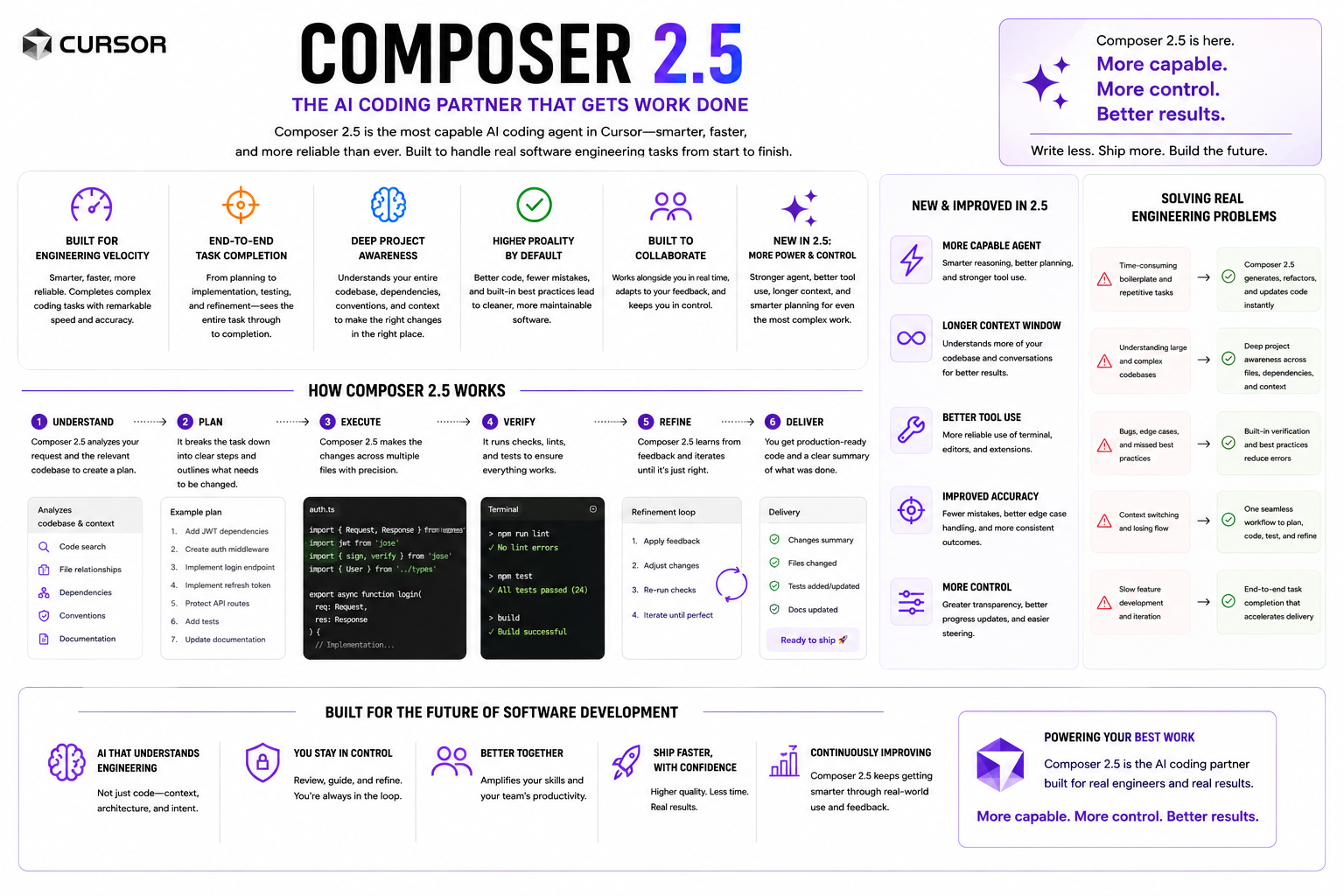
Cursor shipped Composer in October 2025 as their first in-house coding model, and followed up with Composer 2.5 in March 2026. The headline numbers are real but slightly beside the point for migration work. The things that matter day-to-day on a Sitecore project are:
The 200K-token context window is the unsung win. A Sitecore feature module — say, the Hero rendering with its template, datasource folder, Razor view, controller, model, and SCSS — fits easily into a single prompt. That means Composer can see the legacy code and the target XM Cloud conventions and your existing Next.js components at the same time when it generates output. The mistakes that come from "the AI didn't know we already had a Field helper for that" mostly go away.
Parallel agents matter for a different reason. A migration is embarrassingly parallel — fifty components don't depend on each other. Spinning up four to eight agents, each handed a different rendering, lets a single engineer review and merge a day's worth of conversions in a couple of hours instead of plodding through one file at a time.
The right mental model
Treat Composer 2.5 like a fast, literal-minded mid-level developer who has read every page of the Sitecore headless documentation and has zero context on your codebase until you give it. Two implications:
- Context is your job. The model is great at executing a clearly specified change against
files it can see. It is poor at guessing what your team has agreed about naming, folder structure, or
placeholder strategy. Put those decisions in writing — in a
CLAUDE.md,.cursorrules, or repositoryREADME— and reference them. - Verify everything that touches Sitecore. Composer will happily invent a field name on
a JSS rendering type if it can't find one. It will also hallucinate a GraphQL fragment. Don't review the
diff in isolation — run
jss start:connectedand look at the actual Layout Service response.
The teams getting real leverage from Composer 2.5 aren't the ones prompting harder. They're the ones who invested two days writing migration conventions down before they prompted at all.

Phase 1 — Assess the legacy solution
Before you write a line of XM Cloud code, you need an honest picture of what's in your XP solution. This is discovery work that historically takes a week or two of an architect's time. Composer 2.5 cuts it to a couple of focused sessions, because the codebase semantic search means you can ask broad questions and get specific answers.
What to ask
Controller : SitecoreController and every
.cshtml under /Views/Renderings/, output a markdown table with: controller name,
associated rendering name (from the RenderingId), datasource template path (if findable),
HTTP dependencies, and any custom pipelines or processors it touches. Flag anything that uses
ContentSearchManager, Sitecore.Analytics, or Tracker.Current.
The output is your migration backlog. You'll find renderings nobody remembers, controllers that depend on xDB in ways the original architect didn't document, and at least one piece of code that talks directly to a SQL table it shouldn't. That last category needs an API before you migrate anything else.
Phase 2 — Convert TDS to SCS
Sitecore Content Serialization (SCS) is the only supported way to version XM Cloud items in source control. The CLI command structure is straightforward once you've configured it:
# Restore tools and connect to your XM Cloud environment
dotnet tool restore
dotnet sitecore cloud environment connect \
  --environment-id <id> --allow-write true

# Pull existing items to disk as .yml
dotnet sitecore ser pull

# Push your serialized items back
dotnet sitecore ser push -n dev
The work isn't running the commands. It's authoring the module.json files that tell SCS which
items to track, with the right scope, in the right Helix folder. On a real project you might have thirty to
fifty of these. Hand-writing them is exactly the kind of repetitive structural work Composer is good at.
src/Feature/Navigation/code/Navigation.scproj. For every Sitecore item
path included, generate a corresponding Feature.Navigation.module.json following the SCS schema
in docs/scs-conventions.md. Use itemAndDescendants scope for templates and renderings,
singleItem for placeholder settings. Do not include any items under /sitecore/system
or media items.
Before — TDS
- XML
.scprojin Visual Studio - Item-by-item
.itemserializations - Manual sync via TDS plugin
- Deploys as
.updatepackage
After — SCS
- JSON
module.jsonfiles - YAML serialization on disk
dotnet sitecore ser watchauto-sync- Deploys via Sitecore CLI in CI/CD
Phase 3 — Reshape the IA for Headless SXA
This is the phase where lift-and-shift fantasies die. Headless SXA expects a strict structure, and your legacy IA almost certainly doesn't match it. Specifically:
- Sites belong under a Site Collection; you can't just drop them under
/sitecore/content. - Layouts are replaced by Page Designs, which compose Partial Designs.
- Renderings live under
/sitecore/layout/Renderingsas JSON Renderings, not View or Controller Renderings. - Datasource items live under each page's
Datafolder by convention.
Composer 2.5 helps here, but you have to lead. Give it the target structure as a tree, give it the source structure as a tree, and ask for a mapping document before you ask it to generate items. Reviewing a mapping is fast; un-doing two hundred wrongly-placed items is not.
On every project I've done, the highest-value Composer prompt in this phase is the one that says "here is our existing Helix structure; propose an XM Cloud equivalent and list every item that doesn't map cleanly." The unmapped list is where the real conversations with stakeholders happen.
Phase 4 — Rewrite Razor views as TSX
This is the bulk of the work and the place Composer 2.5 most obviously earns its license cost. The pattern is boring and consistent, which is exactly what AI tools handle well. For each rendering you need:
- A TypeScript model of the datasource template's fields.
- A
.tsxcomponent that destructuresfieldsfrom props and renders them with the JSS helpers (Text,RichText,Image,Link,Date). - A matching JSON Rendering item in Sitecore with the same
Component Nameas the file.
Before — Razor (.cshtml)
@model HeroViewModel
<section class="hero">
  <h1>@Html.Sitecore()
    .Field("Title")</h1>
  <div>@Html.Sitecore()
    .Field("Body")</div>
  @if (Model.Image != null) {
    @Html.Sitecore()
      .Field("Image")
  }
</section>
After — TSX (Next.js JSS)
import {
  Text, RichText, Image,
  Field, ImageField
} from '@sitecore-jss/sitecore-jss-nextjs';

type HeroProps = { fields: {
  Title: Field<string>;
  Body: Field<string>;
  Image: ImageField;
}};

export const Default =
  ({ fields }: HeroProps) => (
  <section className="hero">
    <Text tag="h1"
      field={fields.Title} />
    <RichText field={fields.Body} />
    <Image field={fields.Image} />
  </section>
);
The Composer prompt that works for this is more specific than people expect:
src/Feature/Hero/code/Views/Hero.cshtml to a Next.js JSS component at
headless/src/components/Hero.tsx. Use the field definitions from the template
src/Feature/Hero/items/templates/Hero.yml. Follow the conventions in
headless/CONVENTIONS.md: named export Default, props typed inline, JSS helpers
from @sitecore-jss/sitecore-jss-nextjs only. Preserve all class names. Do not add Tailwind.
If the Razor view uses a @foreach over a multilist field, output a typed
fields.Items: Item[] with the appropriate sub-template shape.
Two things make this prompt durable. First, it points Composer at both the source view and the
template definition. Without the template, the model guesses field types from variable names — sometimes
right, sometimes wrong. Second, the CONVENTIONS.md file is the single source of truth for
every component the team produces. Update it once, and every subsequent generation respects the change.
Phase 5 — Move queries to Experience Edge
Any place your XP code reaches into Sitecore — Sitecore.Context.Item, a
ContentSearchManager query, a Solr index, a direct database call — has to be replaced. XM Cloud
serves content through Experience Edge via GraphQL. There is no fallback.
The good news: Composer 2.5's context window is large enough to load your entire Edge schema introspection (typically a few hundred KB) alongside the legacy query. The bad news: schema design is a judgment call, and the AI will happily produce queries that work but are wasteful — pulling deeply nested data you don't need, or splitting one query into three.
A GraphQL query template that actually holds up
query GetHomePage($language: String!) {
  layout(site: "my-site", routePath: "/", language: $language) {
    item {
      rendered
    }
  }
  site {
    siteInfo(site: "my-site") {
      rootItem {
        children(includeTemplateIDs: ["{ARTICLE-TEMPLATE-ID}"]) {
          results {
            id
            url { path }
            ... on Article {
              title { value }
              summary { value }
              publishDate { value }
            }
          }
        }
      }
    }
  }
}
Notice the use of an inline fragment on the specific template name. This is the single biggest source of
Edge query failures when Composer drafts queries unguided — it will use generic Item fields
that compile against the schema but return nothing useful in the response. Add a one-line rule to your
conventions file: always use inline fragments for template-specific fields, and the problem mostly
disappears.
Phase 6 — Validate, test, ship
The XM Cloud editing experience is unforgiving of components that aren't edit-mode safe. The most common
failure mode for AI-generated components is forgetting to handle the case where a field is empty during
authoring. The JSS helpers do this automatically when you use them correctly; raw access (fields.Title.value
in JSX) does not.
headless/src/components/. Flag any that access
field.value directly in JSX without first checking the helper component is being used. For
each flagged component, propose a fix that uses the appropriate JSS helper (Text,
RichText, Image, Link, Date) and preserves the existing
output for non-empty cases. Output as a patch.
Layered on top of that, the practical test stack is unchanged from any other Next.js project: Jest for unit tests on components, Playwright for end-to-end against the deployed Pages preview environment, and Lighthouse in CI for Core Web Vitals. Composer 2.5 writes all three competently when you point it at existing examples.
Guardrails that actually work
Five concrete things that separate teams who get value from Composer 2.5 on this kind of migration from teams who end up with a slightly faster mess:
-
Write a
CONVENTIONS.mdfirst. Folder structure, naming, which JSS helpers to use, whether you allow Tailwind, how you scope CSS, what your data-fetching pattern is. Reference it in every prompt. - One agent per feature, never per file. Composer is much better with the full context of a feature than with one component at a time. Don't subdivide work below the Helix Feature level.
-
Treat the Layout Service response as the contract. Before declaring a component "done,"
hit
/sitecore/api/layout/render/jsswith its route and confirm the fields match the TypeScript types. Composer can be told to do this as part of its verification step. - Run the editor against every change. The XM Cloud Pages editor is the only authoritative check that authoring still works. Allocate ten minutes per merged feature for an editor walkthrough.
- Keep the legacy XP running until parity is proven. Hybrid migration patterns (Azure Front Door routing some paths to XM Cloud and others to legacy XP) are well-trodden. They let you ship sections without betting the whole site on a single cutover.
What Composer 2.5 still won't do for you
The boring truth: AI tooling does not change the underlying architectural decisions. The things that still require human judgment, and that will tank a migration if you skip them:
- Personalization redesign. Translating XP rules-engine personalization to Sitecore Personalize is a product-and-marketing conversation, not a code task. Composer can help once you've decided on the audiences and triggers; it can't make those decisions.
- Content modeling. Whether a "Card" is its own template or a rendering variant of a Promo affects authoring ergonomics for the next five years. That call belongs to a human architect who will see the editors using it.
- Integration sequencing. CRM, commerce, search, and identity integrations each have their own migration story. Composer is useful inside each one; it won't decide which to do first.
- Cutover planning. DNS, redirect maps, SEO continuity, content freezes — pure project management work, untouched by AI.
None of this makes XM Cloud migration trivial. It's still a rebuild. But the parts of the rebuild that used to consume entire sprints — converting Razor views to TSX, writing SCS modules, drafting GraphQL queries against a schema you're still learning — are now measured in hours instead of weeks. That's not nothing. On a typical mid-sized migration (40–80 components, 30 templates, a few thousand items), it's the difference between a six-month engagement and a four-month one. The platform shift was always going to be hard. The tooling is finally proportional to it.
Planning an XM Cloud migration?
If you've inherited a Sitecore XP solution and you're staring down the rebuild, the practical first step is the discovery audit in Phase 1. Run it; the answers will surprise you.