Sitecore Search is a powerful, AI-powered search platform that brings speed, scalability, and modern capabilities to site-wide and content-specific search experiences. But like any good search engine, it doesn’t just work out-of-the-box for your business needs — especially when it comes to relevance.
In this blog post, I’ll walk you through how we approached relevance tuning in Sitecore Search, what worked, what didn’t, and how we ultimately achieved the desired search experience after several iterations and hands-on experimentation.
Why Relevance Tuning Matters
Let’s face it — even the most beautifully designed search UI will fall flat if it surfaces irrelevant results. Relevance tuning ensures that the results your users see are:
- Contextual to the search query
- Prioritized based on business importance (e.g., certain content types or fields matter more)
- Tailored to the user intent
The Setup
Before diving into tuning, here’s our setup:
- Search SaaS Platform: Sitecore Search (SaaS, cloud-based)
- Content Sources Indexed: Custom API-based content with Azure B2C Bearer Token authentication
- Search Front-End: JavaScript SDK embedded search UI
- Goal: Ensure content with exact match in title and/or category ranks higher than long articles where keywords are only in body copy
First: Understanding How Relevance Works in Sitecore Search
Sitecore Search is built on an AI engine that automatically generates a semantic vector for your content. It looks at more than just exact keywords — it’s trying to understand meaning.
However, this means basic keyword matches may not always rank as you expect. Especially in cases where:
- Your query term exists in a highly weighted field (e.g., title), but another document with better semantic structure wins
- Or you have structured metadata that the AI doesn’t know is more important to you
That’s where Relevance Tuning comes in.
How Relevance Tuning Works
Sitecore Search exposes a relevance tuning panel in the Content Source configuration under the “Tuning” tab.
Here’s what you can adjust:
- Field Boosting: Prioritize certain fields over others (e.g., boost title over body)
- Category Boosting: Boost results in certain categories or taxonomies
- Custom Rules: Add business rules that promote or demote results
- Synonym Mapping: Ensure terms like "PPE" and "personal protective equipment" are treated equally
- Weights by Filters/Facets: Increase importance of filters in determining result order
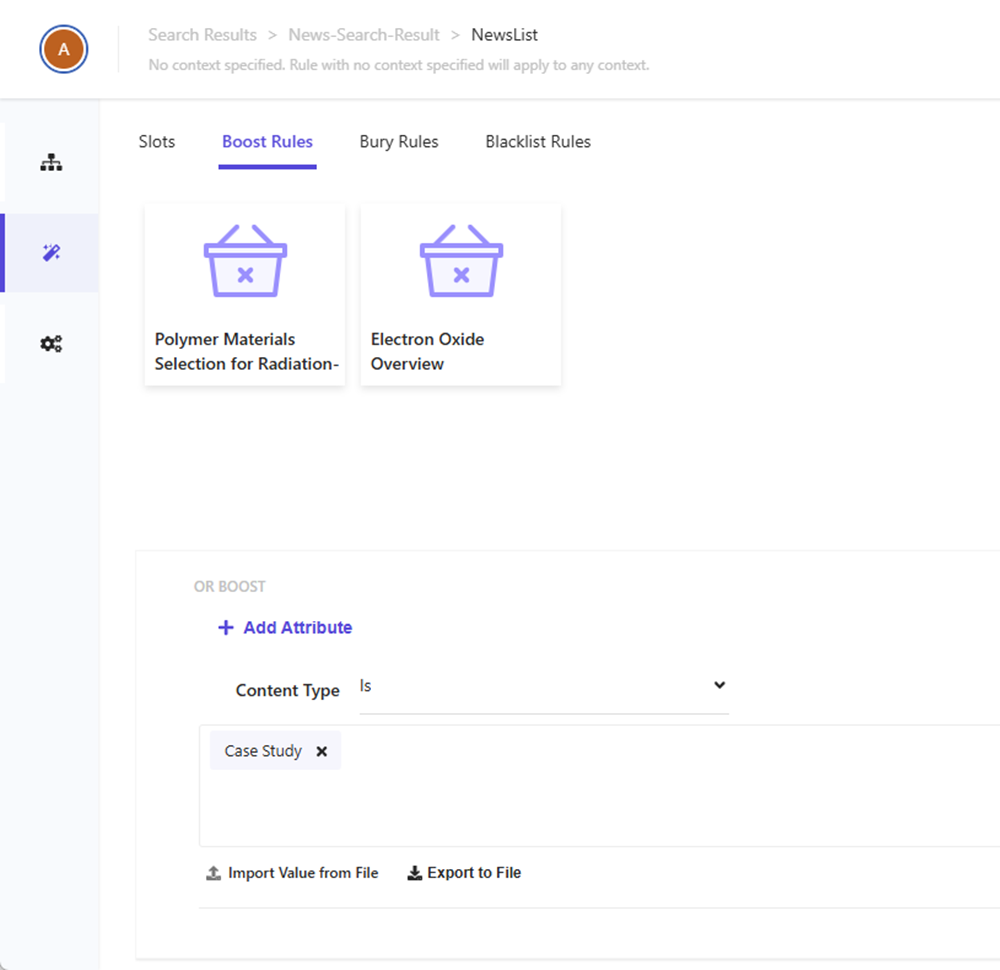
What We Tried — and What Worked
1. Field Boosting for Title and Tags
Initially, our search results showed long-form articles before targeted help guides, even when the exact keyword was in the title.
What We Did:
- Went to Content Source > Tuning > Field Weights
- Increased the weight of title and tags fields from 1.0 to 5.0
- Set body and description to 1.0 or less
Impact: Exact matches in title started surfacing on top. A huge win.
2. Boosting Specific Categories
We wanted content under "Quick Guides" to appear higher when the search query was more how-to oriented.
What We Did:
- Created a rule under Boost by Category
- Boosted documents in the “Quick Guides” taxonomy by +3.0
Impact: Users searching “reset password” were now more likely to see a short reset guide rather than a long security whitepaper.
3. Rewriting Metadata to Be Index-Friendly
Some fields weren’t indexed correctly because they were deeply nested in the JSON payload or weren’t stringified.
What We Did:
- Modified our API’s output structure to flatten important fields (e.g., categoryName, contentType, tags)
- Re-ran a full re-index of content
Impact: Enabled us to use those fields in tuning, faceting, and display.
4. Custom Ranking Rules
We also created conditional rules, like:
“If contentType is ‘Video’ and query contains ‘how’, boost by +2.0”
This was done via the Custom Tuning Rules panel. We also used behavioral Data to influence results.
Impact: Helped promote video content for task-oriented queries, improving engagement rates.
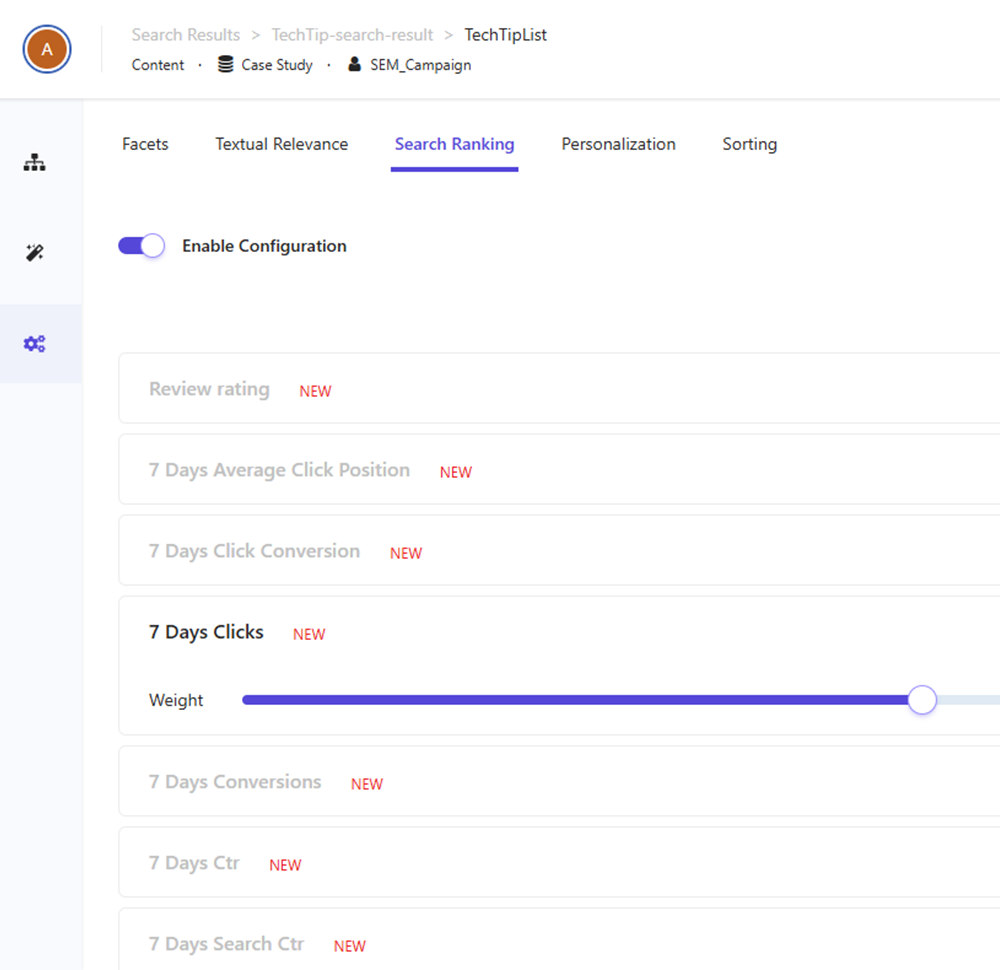
5. Tuning Iteratively with Search Analytics
We monitored performance using Built-in Analytics > Queries Without Clicks and Low CTR Queries.
This helped us identify:
- Where tuning was still needed
- Whether users were finding what they needed
- What queries were most common but underperforming
We adjusted rules based on this data.
What Didn't Work Initially
- Assuming the AI will get everything right — without boosting, results were “smart” but not aligned with business priorities.
- Over-boosting fields — we once boosted title to 10.0 and found shorter titles with vague words outperforming rich, helpful content.
- Ignoring category metadata — AI is great, but not psychic; it needs context like category, type, tags to tune relevance.
Pro Tips for Relevance Tuning in Sitecore Search
- Tune with actual queries: Use real user data or stakeholder input to know what people actually search.
- Work iteratively: Small changes, test, repeat. You’ll rarely get it perfect in one go.
- Leverage Analytics: Use the dashboards to identify problems, not just track success.
- Don’t ignore structure: A well-structured content API helps everything from indexing to tuning.
- Include synonyms: This isn’t classic Lucene — semantic search benefits from curated synonym lists.